How to connect Google My Business (GMB) if the connect button is showing "Your location is already present and verified on Google"?
If you find this message on the Google My Business (GMB) widget, this means the location exists on Google already but has not been successfully connected.
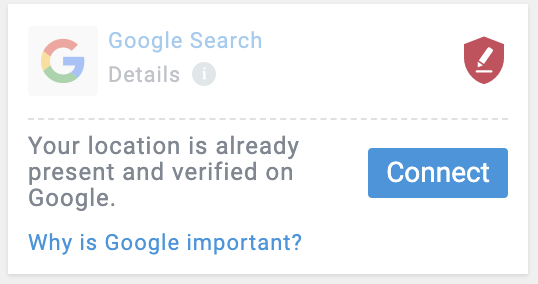
You have three options to connect the existing location:
| Option 1 The owner connects | The owner of the published listing, connects it by going through the connect flow and clicking on "Connect" and following the instructions. |
| Option 2 Get access to the listing and connect | If you know the owner of the existing listing, ask them to add you as a manager. Follow this link for more information on how to add users to a GMB listing. After they grant you access, you can click on "Connect" and go through the flow. |
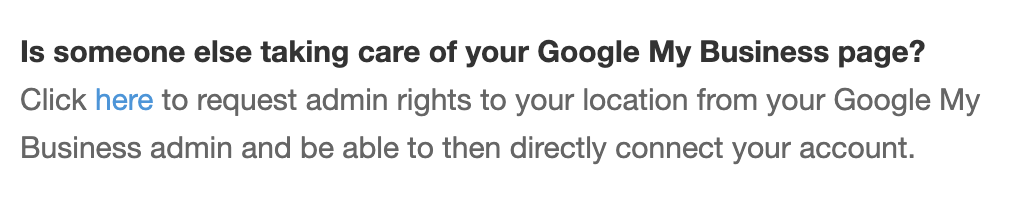
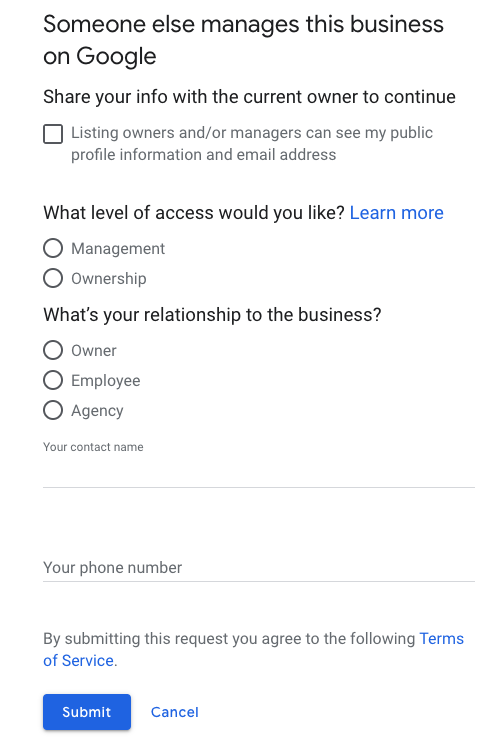
Option 3 The owner of the original listing is not known | Request access by clicking on the 'Connect' button and then on 'here' in the bottom section of the pop-up.
Another screen will open with a form you fill in. You may recognise this form from requesting access right directly on GMB. You can read more on this process here.
|

Related Articles
What are the minimum requirements to connect a Google My Business (GMB) listing to the platform?
In order to be able to connect a Google My Business (GMB) listing, the user must be the Owner or Administrator of the listing that should be connected (this listing must be in the user’s GMB account) and it must be verified. If this is not the case, ...Checklist for connecting your Restaurant to Google MyBusiness
Find out here what you should take into account before connecting your Restaurant to Google My Business. In order to make sure that the end result of the connection is what you wanted, you need to consider two things: 1. Number of Locations Before ...